

The quality of the user experience (UX) is a critical success factor. Small details, like vague error messages, slow performance on key pages, or inconsistent validations, become invisible friction points that drive users to abandon digital products without ever complaining. The role of User Experience Quality Assurance (UX QA) is precisely to identify and fix these issues before they turn into lost revenue and diminished trust.
In this article, I share the most common mistakes in UX testing and how to avoid them, with a focus on collaborative practices between Design, Development, and Quality Assurance teams that enhance customer satisfaction and, ultimately, drive retention and business growth.
1. Only testing the "happy path"
It’s tempting to validate only the flow where everything goes as planned: the user fills in the form correctly, the connection is stable, and data is always available. But that’s not the real world.
Most issues arise when something goes wrong, like a forgotten password, an expired session, or an incorrectly filled field. Ignoring these scenarios means leaving users stuck without knowing what to do.
Your test plan should include all the “less happy” states, such as network errors, incomplete forms, empty or offline pages, and more. The goal is to ensure that even in adverse situations, users always have a clear way forward.
2. Unhelpful error messages
Few things are more frustrating than reading “Something went wrong” with no further explanation. The user doesn’t know what happened, doesn’t know how to fix it, and often ends up repeating the same action in a loop. These types of messages increase support requests and erode trust in the product.
Instead, aim to create clear messages that explain what failed and what the user should do next. Communication should be simple, direct, and helpful, for example: “The code you entered is no longer valid. Please request a new one” rather than “Process error”.
3. Empty states that lead to dead ends
A page without data should never be a blank page. If users land there and find no guidance, they’ll leave. This is common in dashboards with no records or shopping carts that haven’t been started yet.
Here’s what you can do:
- Turn empty states into opportunities to guide the user;
- Show examples, suggestions, or clear CTAs that explain how to make that space useful.
4. Accessibility left for last
Treating digital accessibility as a “final touch” is a high-impact mistake. Issues like low contrast, missing focus indicators, or broken keyboard navigation don’t just exclude users, and we’re not talking about a small minority, they also damage the perceived quality of your product. The consequences are twofold: increased legal risk and duplicated work to fix issues that could have been prevented from the start.
Learn best practices for treating accessibility as a baseline quality requirement in our Complete Guide to Digital Accessibility.

5. Inconsistent validation rules across screens
If one form allows the use of “/” and another doesn’t, or if a postal code is required in a different format from one screen to the next, users will feel a lack of stability. This kind of inconsistency leads to drop-offs in critical flows like checkout.
That’s why it’s essential to define and document clear, consistent validation standards, and ensure the same behavior is applied across all parts of the product.
6. Visual regressions with every release
When a new version is released, it’s common to see small visual differences—slightly altered colors, misaligned spacing, or buttons that don’t match the expected size. While these may seem like minor issues, they often lead to time-consuming fixes, unnecessary debates between teams, and, most importantly, the perception that the product is unstable or inconsistent with the approved design system.
How to avoid these issues?
Implement visual regression testing that automatically compares the new version against a reference baseline. This ensures that only planned and approved changes make it to production, preserving consistency and building trust with every release.
7. Heavy and slow pages
No design can survive a slow page. Every second of delay increases the risk of abandonment, especially during critical steps like checkout or registration.
Best practices include:
- Optimizing assets and resources (images, scripts, fonts);
- Prioritizing the loading of essential content;
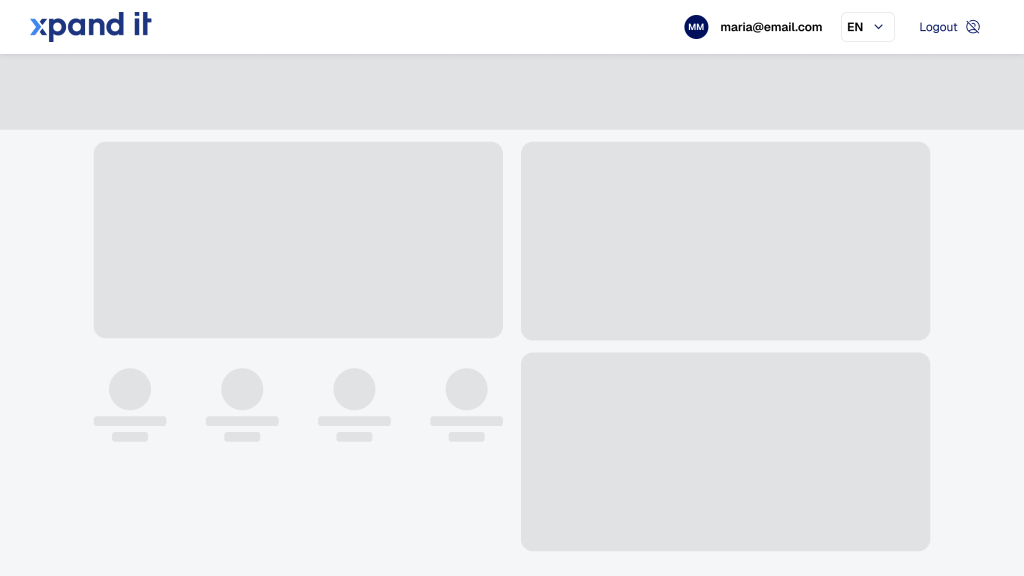
- Always providing immediate feedback to the user, such as progress indicators or skeleton screens.
8. Content treated as an afterthought
Unclear, inconsistent, or truncated text, especially on mobile, creates real friction. Language is part of the user experience and can be the reason behind errors in critical flows. Microcopy should be reviewed as part of QA to ensure terminology consistency, clear instructions, and readability across devices and languages.
9. Different experiences across Web, iOS, and Android
QuandoWhen the same action behaves differently depending on the platform, users lose trust. The goal should be to align interactions and maintain consistency across platforms. If exceptions exist, they should be documented and justifie, never the result of chance.


10. “Measure later” or not at all
Making decisions based on opinions is risky and often ineffective. Without data on drop-offs, errors, or completion times, teams end up debating impressions instead of real impact. To avoid this, it’s essential to define simple metrics for each flow and track their evolution with every release. Comparing before and after is what allows you to validate improvements.
11. UX debt growing silently
Small inconsistencies, like a misaligned button here or a different validation rule there, may seem insignificant in isolation. But sprint after sprint, they accumulate into UX debt that weakens the perceived quality of the product and drains team energy, which ends up being spent on fixes instead of innovation.
What should you start doing?
- Make this “debt” visible in the backlog;
- Assign measurable impact to each item;
- Reserve regular capacity to address it, preventing it from silently growing into a blocker for progress.
12. Relying too much on “more features”
It’s easy to believe that adding new features will solve a product’s lack of traction. But often, the real issue lies in basic friction: too many steps, redundant clicks, or confusing processes.
So before adding new things, focus on fixing the core pain points that prevent users from reaching their main goal, whether that’s buying, paying, or activating.
Conclusion
Ensuring UX quality means making sure every interaction conveys trust, clarity, and consistency. UX QA mistakes may seem small when viewed in isolation, but together they represent invisible losses: users who drop off, flows that don’t convert, and teams spending time on rework instead of progress.
By adopting more rigorous UX QA practices, testing error states, treating accessibility as a baseline requirement, maintaining visual consistency, and continuously measuring impact, we turn QA into a business lever. Stronger products and smoother experiences lead to higher satisfaction, retention, and customer loyalty.
In the end, the real goal isn’t just to avoid defects, it’s to create digital experiences that work well in any context and make users want to come back.